
Screenshots
App details
- Updated
- Feb 9, 2022
- Language
- English
- Developer
- NCH Software
- Category
- Mobile
SoftPas in:
This product is also available in the following languages:
About Express Rip Power Edition
Download Express Rip Power Edition – CD ripper, audio converter, MP3 converter, WAV converter, digital music, music library, music collection, CD to MP3, CD to WAV, audio extraction
Overview
Express Rip Power Edition is a specialized mobile application designed to facilitate the digital transformation of physical CD music collections. Its primary purpose is to enable users to extract audio tracks from CDs and convert them into widely supported digital formats such as MP3 and WAV. This functionality addresses the growing need for digital accessibility in music consumption, particularly among users seeking to preserve their music libraries while reducing physical clutter. The app is especially relevant for individuals who maintain extensive CD collections and wish to transition to a more portable, searchable, and device-compatible format.
Target users include music enthusiasts, collectors, archivists, and anyone aiming to digitize vintage or rare audio discs. The app’s focus on both automation and customization supports a broad range of user preferences, from those who want a plug-and-play experience to more hands-on users who value precise control over metadata. While the developer, Express Rip, is not further detailed in the provided information, the app’s consistent functionality and clear design suggest a dedicated focus on audio conversion tools.
Real-world use cases include backing up old CDs, organizing music by artist or album, and preparing audio files for use across multiple devices. In the broader app ecosystem, Express Rip Power Edition fills a niche role for utility and productivity, offering a streamlined alternative to desktop-based ripping software. The app’s ability to fetch and edit album information enhances its value in building a well-structured digital music library.
Key Features & Functionality
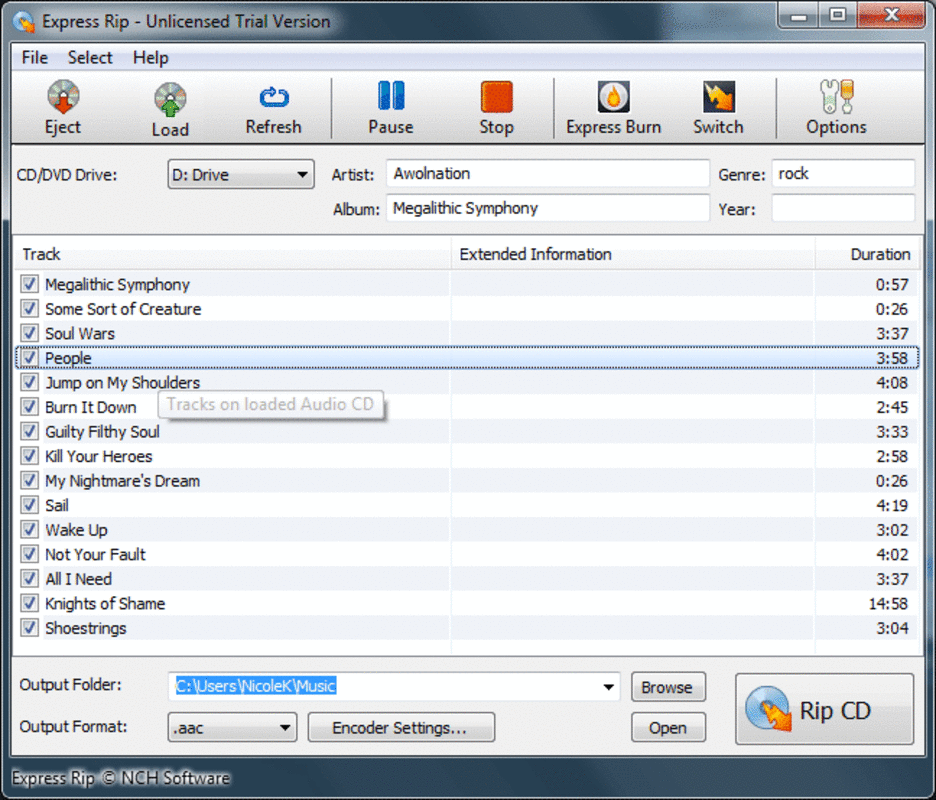
- Easy CD Extraction: Upon inserting a CD into a compatible drive, the app automatically detects and reads the disc, displaying a list of available audio tracks. This eliminates the need for manual track identification and significantly reduces setup time.
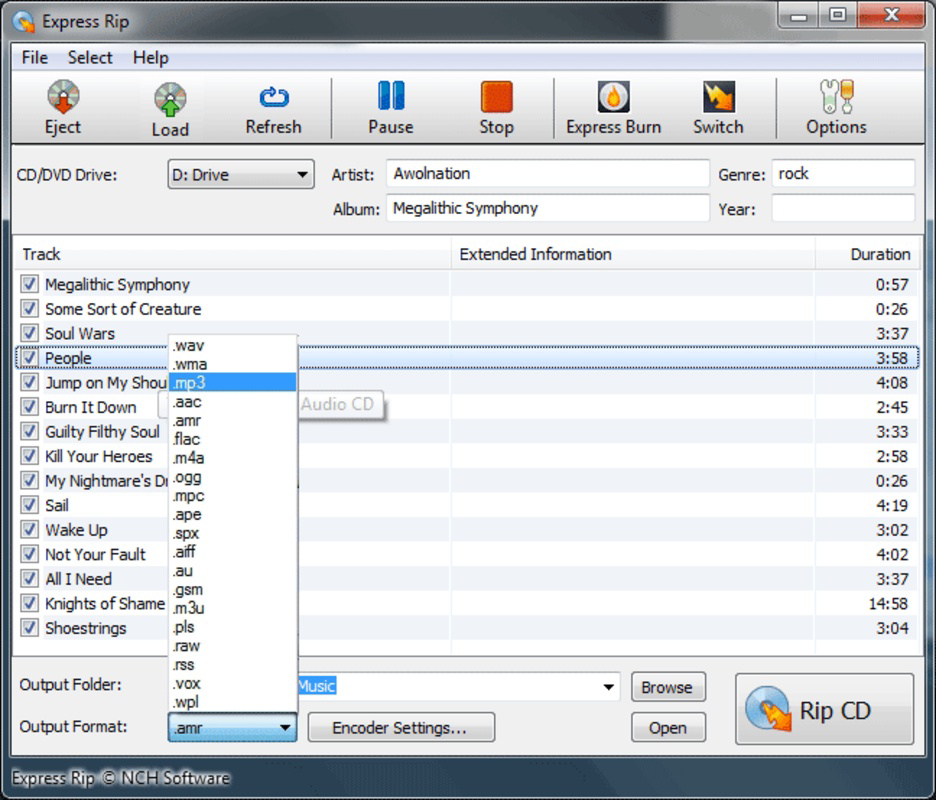
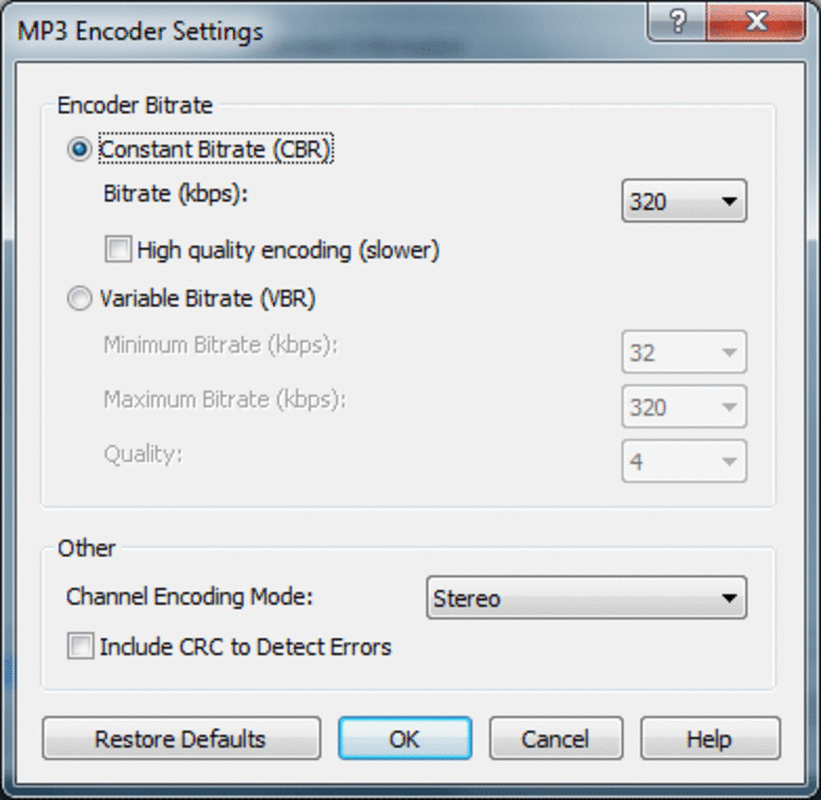
- Multiple Format Support: Users can choose to save extracted tracks in MP3 or WAV formats, ensuring compatibility with a wide variety of audio players, smart devices, and media systems.
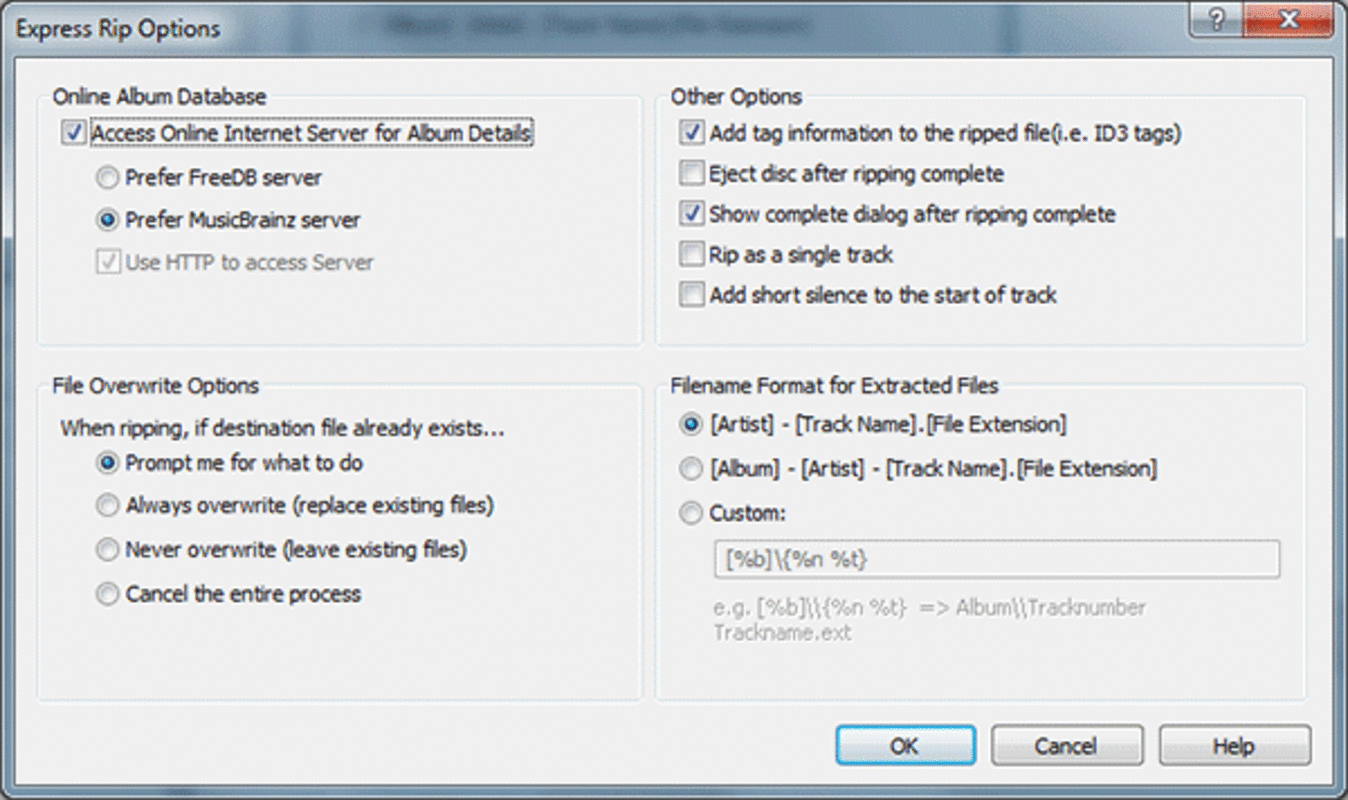
- Automatic Album Info: The app connects to online databases to retrieve album titles, artist names, track listings, and cover art, streamlining the organization of digital music without user input.
- Manual Editing Options: For users who prefer precision, the app allows manual input and modification of track names, artist details, and other metadata, enabling full control over library organization.
- User-Friendly Interface: The clean layout and intuitive navigation make the app accessible to users of all technical skill levels, minimizing the learning curve and enhancing usability.
For example, a user with a collection of 1990s CDs can insert one disc, let the app auto-detect tracks, choose MP3 format for compact storage, and have the app fetch correct metadata—resulting in a properly labeled digital file ready for transfer to a smartphone or streaming device. This workflow demonstrates the app’s efficiency in real-world music digitization tasks.
Interface, UX & Performance
Express Rip Power Edition features a minimalistic interface that prioritizes functionality over visual complexity. The layout is organized around the core task of CD extraction, with clear visual cues for track selection, format choice, and metadata display. Navigation is linear and consistent, guiding users through each step of the process without unnecessary detours.
The app’s visual style is functional, using standard UI elements such as buttons, lists, and input fields that align with Android’s design language. This ensures familiarity for most users. Although the developer did not list formal performance metrics, the app’s lightweight size of 2.5 MB suggests efficient resource usage, which may contribute to smooth operation on a range of devices.
Responsiveness appears to be optimized for typical mobile workflows, with quick load times and minimal lag during track detection and conversion. Stability is implied by the app’s focus on a single, well-defined task. However, specific requirements for device compatibility or performance under heavy load were not disclosed. Users are advised to ensure their device supports CD drive connectivity, as this is a prerequisite for full functionality.
Platform Compatibility & Technical Requirements
Express Rip Power Edition is available on the Android platform. The current version is 1.2.4, with a file size of 2.5 MB, indicating a lightweight installation. The app is designed for mobile devices that support external CD drives or have built-in optical drives, though such hardware is rare on modern smartphones.
Compatibility information was not fully disclosed. The developer did not specify minimum OS requirements or hardware prerequisites beyond the Android platform. Users should verify that their device supports CD drive access via USB or other interfaces. The lack of detailed technical specifications means that performance may vary across different Android versions and device models.
Pros and Cons
Pros
- Efficient CD-to-digital conversion with minimal user input
- Support for both MP3 and WAV formats for flexible usage
- Automatic retrieval of album and track metadata
- Intuitive interface suitable for non-technical users
- Compact file size, reducing storage impact
Cons
- Requires physical CD drive access, which may not be available on all devices
- Limited information on system requirements and compatibility
- Price point of $4.99 may be high for casual users
- No indication of cloud sync or backup features
- Functionality is limited to CD extraction; no advanced audio editing tools
FAQ
Is Express Rip Power Edition available for iOS?
As of the provided information, the app is only listed for the Android platform. No iOS version was mentioned.
Can I use Express Rip Power Edition without a CD drive?
The app requires a CD drive to function. It cannot extract audio from CDs without physical access to a compatible drive, which may limit usability on standard smartphones.
Does the app support other audio formats besides MP3 and WAV?
The provided information only lists MP3 and WAV as supported formats. No other formats were specified.
How often does the app update?
The last release date was February 9, 2022. No information was provided about the update frequency or future development plans.
Is Express Rip Power Edition safe to download and install?
While the app is distributed through official channels and does not require unusual permissions, users should ensure they download it from trusted sources to maintain security and avoid potential risks.
Final Thoughts
Express Rip Power Edition delivers a focused, reliable solution for users committed to digitizing their CD collections. Its combination of automation and manual control makes it a practical tool for both beginners and experienced users. The app’s lightweight design and straightforward workflow enhance usability, though its dependence on external hardware limits its accessibility.
For music collectors, archivists, and enthusiasts seeking to preserve analog media in digital form, this app offers a valuable productivity boost. The ability to convert CDs to MP3 and WAV while automatically organizing metadata adds significant value to the user experience.
While the $4.99 price tag may deter some, the app’s specialized functionality justifies the cost for its target audience. If you're ready to transition your physical music library into a digital format, Express Rip Power Edition is a dependable companion.
Download Express Rip Power Edition now
Guides & Tutorials
How to install Express Rip Power Edition
- Click the Download button above.
- Once redirected, accept the terms and click Install.
- Wait for the Express Rip Power Edition download to finish on your device.
How to use Express Rip Power Edition
This software is primarily used for its core features described above. Open the app after installation to explore its capabilities.
User Reviews
No reviews yet. Be the first to share your experience.
You may also like
more
Que no te pillen¡
About !Que no te pillen¡Reviewed by Jason A. BilbreyShow MoreShow Less

3D Combat Zone
About 3D Combat ZoneOriginally released in 1983, 3D Combat Zone immerses players...

666: El día del portal
About 666: El día del portalOn June 6, 2006, Agent P. Stone uncovers a sinister...

80 in 1 Best Flash games
About 80 in 1 Best Flash games 80 in 1 Best Flash games is a collection of 80 fl...

ABYSS SEEKERーーWhat Do You See Deep in The Abyss
About ABYSS SEEKERーーWhat Do You See Deep in The AbyssIn ABYSS SEEKER, players...

ACA NEOGEO THE KING OF FIGHTERS 2002 for Windows
About ACA NEOGEO THE KING OF FIGHTERS 2002 for WindowsTHE KING OF FIGHTERS 2002,...